|
Download this document
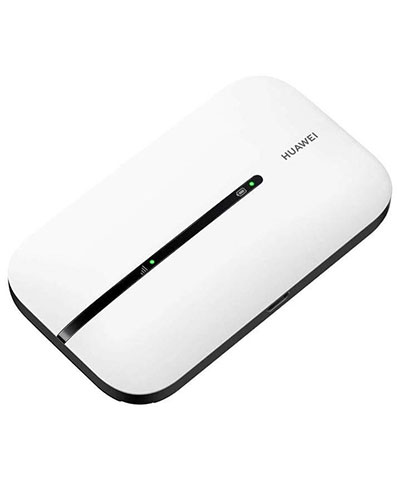
Using The sms facility for the Huawei IEW 3G+ EC122 and the EC226
To recharge your data account using the SMS facility 1. Plug in the Modem you are using and click the Internet Everywhere icon on the desktop

2. This will open the User interface

You will then be provided with the interface to key in the Current PIN Number for the card in your modem. Click OK to log into your account

If the PIN number is OK the device will be detested and the window below will be displayed

To confirm and change the network settings:
Click on Tools then Options

Then click on the Network and select Hybrid
Save the settings by clicking on Apply then OK
After clicking on the Edit button, the interface will be enabled for you to edit the settings in the modems’ profile.
Then click on the Apply button to save the settings and then OK to exit the interface and got back to the main User Interface window.
Click on the connect button to connect the modem to the network

The connection will be established with the network and the modem and also can be able to use the interface to manage your data account.

To load the SMS facility, click on the Text tab which will open the window below displaying your previous transaction details if any

To recharge your account
Click on the New message icon shown below to open a blank SMS interface

This will in turn load the window shown below

To top up
- Type 130 in the Send to text box
- In the main message area *130* recharge card number# then click on the send button to submit your request

The following messages will pop up prompting you the message has been sent successfully.

A popup will appear informing you that you have received a New text message.
After receiving the new text message you will get the recharge details according recharge amount you had done in shillings and will be displayed as below

To purchase Bundles
- Type 430 in the Send To … text box
- Then in the main message area #123#Bundle size#
- Then click on the send button to submit your request

Two message prompts will be displayed on the screen for successfully sending the SMS and another message alert for the response on the account status in terms of the balance in shillings after the bundle purchase, and the bundle size the account has after the purchase and the expiry date of the balance remaining in the Account.
To confirm the account status
- Type 131 in the Send To … text box
- Then in the main message area 131
- Then click on the send button to submit your request
Two message prompts will be displayed on the screen
1. For successfully sending the SMS
2. For the response on the account status in terms of the balance in shillings after the bundle purchase, and the bundle size the account has after the purchase and the expiry date of the balance remaining in the Account.

The account details will be displayed in the SMS Inbox as below

Examples
- To recharge your account so that you can purchase a 50MB bundle send *130*recharge amount# to 130 say for 200 KShs
- To Purchase a 50MB bundle, you will send #123#50# to 430
- To purchase unlimited 7 days service you will send #123#unlimited# to 430
Download this document
For any clarifications or assistance kindly use the following contacts
Dial 121 from your Orange line or 020 2222121 from any other line or send an email to
This e-mail address is being protected from spambots. You need JavaScript enabled to view it
|